MakeItColor:
old photos and films,
in colour and restored.
Black-and-white photos and videos, in colour and restored. On your own PC.
A free Windows app that colours old photos and films, gives faded ones their blacks and whites back, and takes out blur, noise and JPEG damage. Nothing is uploaded, and the originals are never changed.
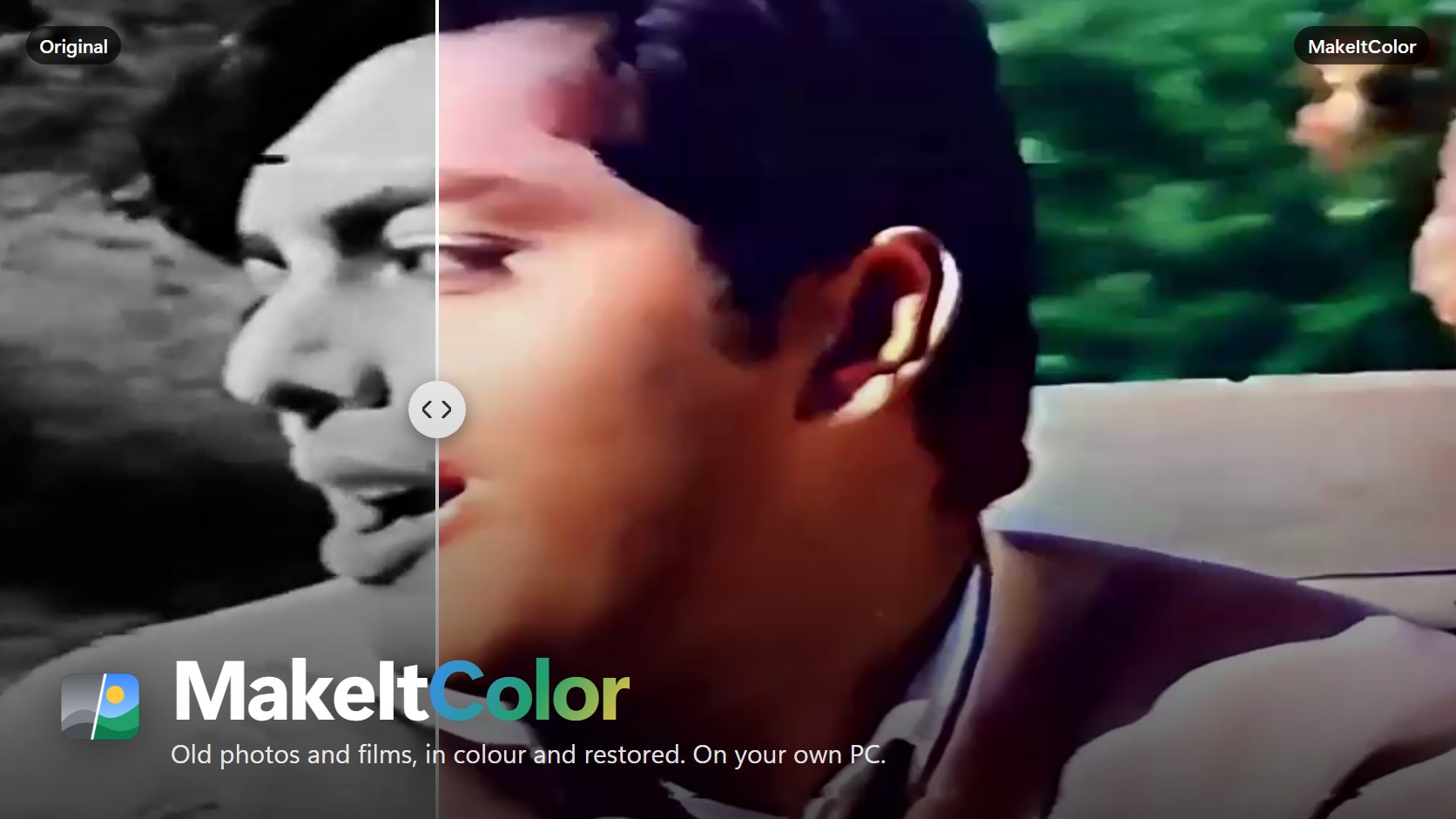
One 512 × 512 pass on my laptop's NPU (Intel AI Boost)
Small photos come out up to four times larger, with blur, noise and JPEG damage taken out
Your photos and films never leave your PC, and the originals are never changed
I wanted to see a song from 1967 in colour.
The film is Doraha, and the song is “Tumhain Kaisay Bata Dun”, sung by Ahmad Rushdi. The copy I had is a VHS-era transfer on YouTube, 1280 × 720, with a channel logo in the corner and an address ticker along the bottom. Colouring it turned out to be only half the job. Its real problem wasn't grain. It was blur and compression blocks.
MakeItColor is what came out of that. It's a free Windows app that colours black-and-white photos and videos, and restores them while it's at it: faded pictures get their blacks and whites back, blur, noise and JPEG damage are taken out, and small photos can come out 2× or 4× larger. Drop in files or a whole folder, or choose them. It opens photos in JPEG, PNG, TIFF, BMP, GIF, WebP, HEIC/HEIF, JPEG XR, and videos in MP4, MOV, MKV, AVI, WMV, WebM, MPEG, M2TS/TS, FLV, 3GP, OGV, VOB, MXF.
Everything runs on your own PC: on the NPU if there is one, then the graphics card, then the CPU. Nothing is uploaded, and the originals are never changed: every result is saved as a new file.
A gray picture in.
Two colour channels out.
The colour model is the MakeItColor model on Hugging Face. It's based on DDColor, a ConvNeXt-L network by Kang et al. (ICCV 2023, Apache 2.0), which I converted to ONNX so Windows can run it on any chip. It doesn't paint the picture. It looks at its lightness and predicts the two channels that carry the colour, and the app does the rest.
If Fix brightness and contrast is on, a faded picture gets its blacks and whites back first.
The picture’s lightness is shrunk to 512 × 512 with an antialiased filter. The colour model sees it as a gray picture and predicts the two channels that carry the colour.
The colour is enlarged to full size and lined up with the picture’s edges by a guided filter, steered by the lightness.
It is combined with the full-size lightness, so the result keeps the original’s full resolution and all of its detail.
The model works at 512 × 512, but a photo can be much bigger than that. That's why the colour goes back onto the full-size lightness instead of the model's small picture: you get the original's resolution and detail, with the model's colours laid over it.
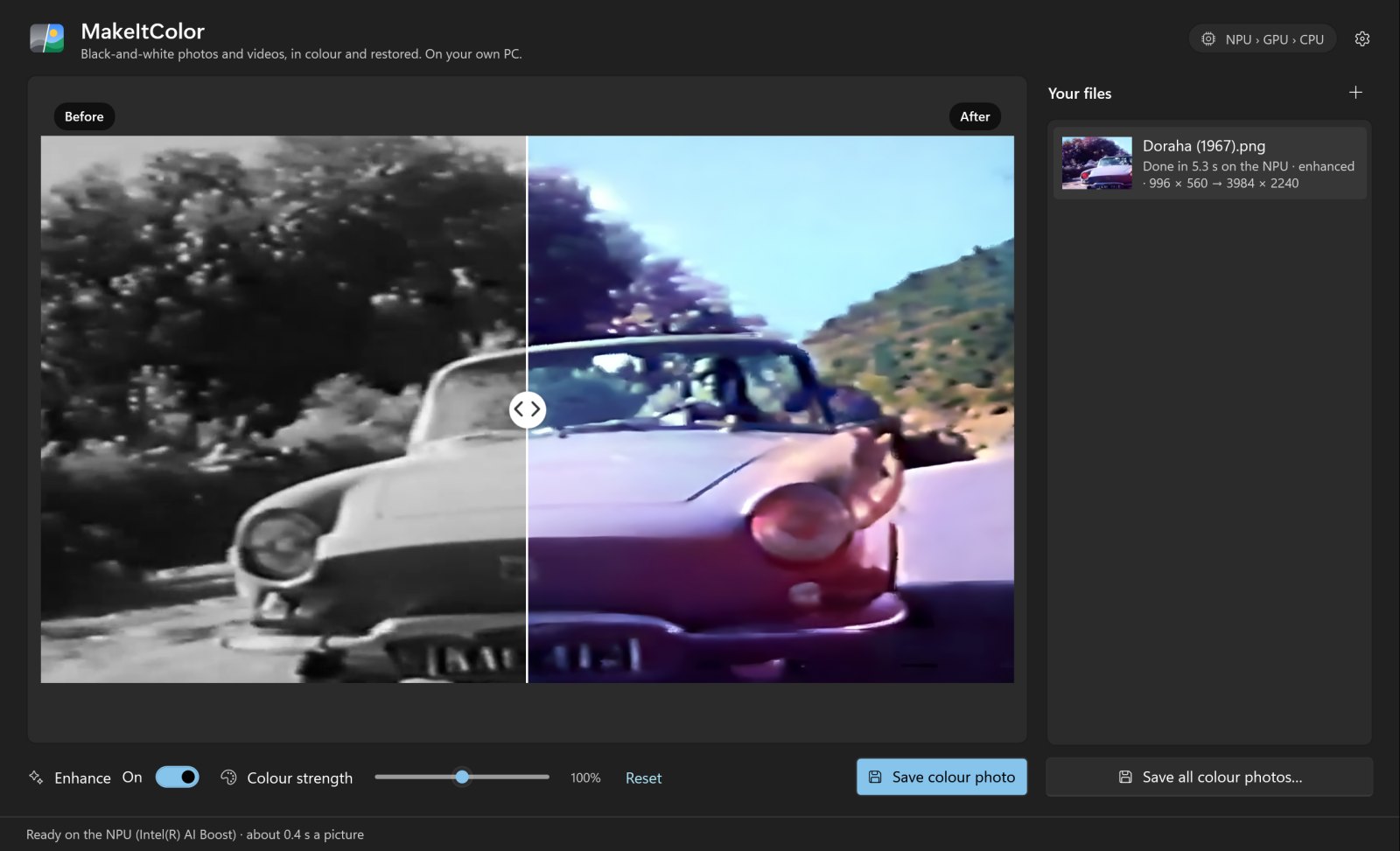
--capture). Footage: Doraha (1967), the song “Tumhain Kaisay Bata Dun”, sung by Ahmad Rushdi; short excerpts.Every photo opens in a before/after view with a divider you can drag, or move with the arrow keys. If the colours are too shy or too loud, the Colour strength slider goes from 50 % to 150 %, and Reset puts back what the model chose. Save colour photo writes a new file, name (color).png, as PNG (lossless) or JPEG (quality 95), and the original is left as it is.

Faded, soft, blocky.
Fixed on the way.
Most old pictures need more than colour. A scanned print has gone gray, a copy of a copy is soft, a photo from the web is full of JPEG blocks. MakeItColor has two fixes for that, and both are on by default.
Fix brightness and contrast
Automatic levels: it finds the darkest and the brightest 0.5 % of the picture and stretches them toward near black and near white, by at most 1.8×, and it never lowers the contrast. A picture that already uses the full range is left alone.

Enhance photos
The enhancer is Real-ESRGAN's compact general model, by Xintao Wang et al. (BSD 3-Clause): realesr-general-x4v3, blended 50/50 with its weak-denoise twin, as Real-ESRGAN does by default. It takes out blur, noise and JPEG damage, and it can make the picture larger. Auto makes photos under 2000 pixels 2× or 4× larger; you can also keep the original size, or choose 2× or 4×, up to 24 megapixels. Each photo has its own Enhance switch, too.
It runs in 256 × 256 tiles that overlap by 24 pixels. Put back together, they match running the whole picture at once to 87 dB.
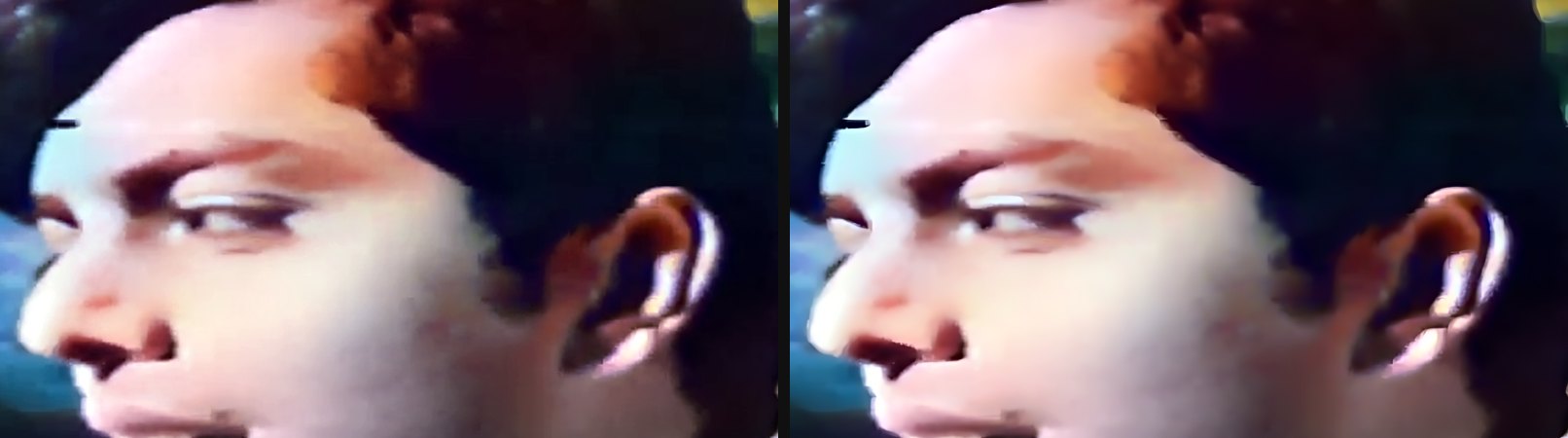
The colour model never sees the enhanced picture
One choice here came from testing. In my first version, the colour model coloured the enhanced picture, and the colours changed: a bluish patch appeared on some rocks, a red patch on a title card. So now the colour model sees the brightness-fixed photo, and the enhanced picture only gives the detail. The colours are the same with the enhancer on or off.
Whole films.
Steady colours.
A video goes in, and an H.264 MP4 comes out at the original size and frame rate, with the original sound, saved next to the original as name (color).mp4, or in your Videos folder if that folder is read-only. You can stop it at any time.
Colour every frame on its own and the colours flicker, because every frame is a new guess. Steady colours, on by default, keeps the colours from one frame to the next wherever the picture doesn't change; a cut starts fresh. On a 600-frame test clip, colour flicker (the average change in the two colour channels on pixels that didn't change) went from 5.40 without it to 2.76 with it. Halved.
Fix brightness and contrast works differently in a video, too. It follows each shot slowly, and matches each frame's brightness to the three frames before and after it in the same shot. That takes out the flicker of old film without dimming fades.
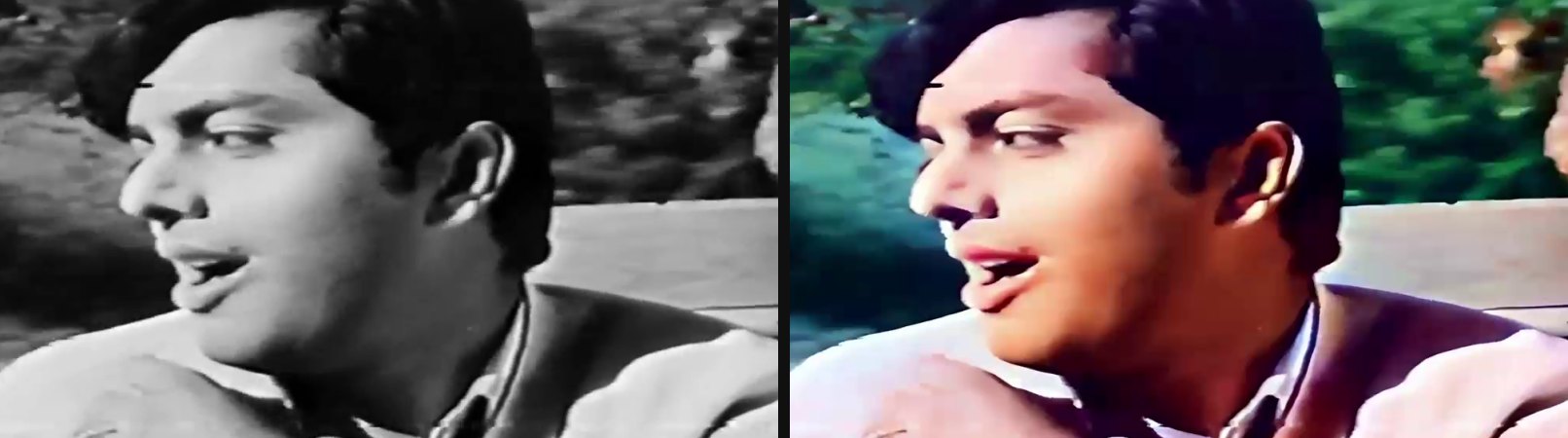
Cleaning up a film
Doraha showed me what the clean-up has to do. I tried FFmpeg's denoisers first. They're quick: atadenoise takes 1 ms a frame, fftdnoiz 74 ms, nlmeans 180 ms (hqdn3d is GPL, so it isn't in the LGPL build). And they changed almost nothing, because this film's problem wasn't grain. It was blur and compression blocks, which is exactly what the photo enhancer takes out.
So Full clean-up runs the enhancer on every frame, on a copy at most 800 pixels wide or high, and brings it back to the original size. I chose 800 after comparing: at 960 the frames came out clean but soft, at 640 sharpest but with painted-looking faces. Where nothing moves, the detail is kept steady from frame to frame.
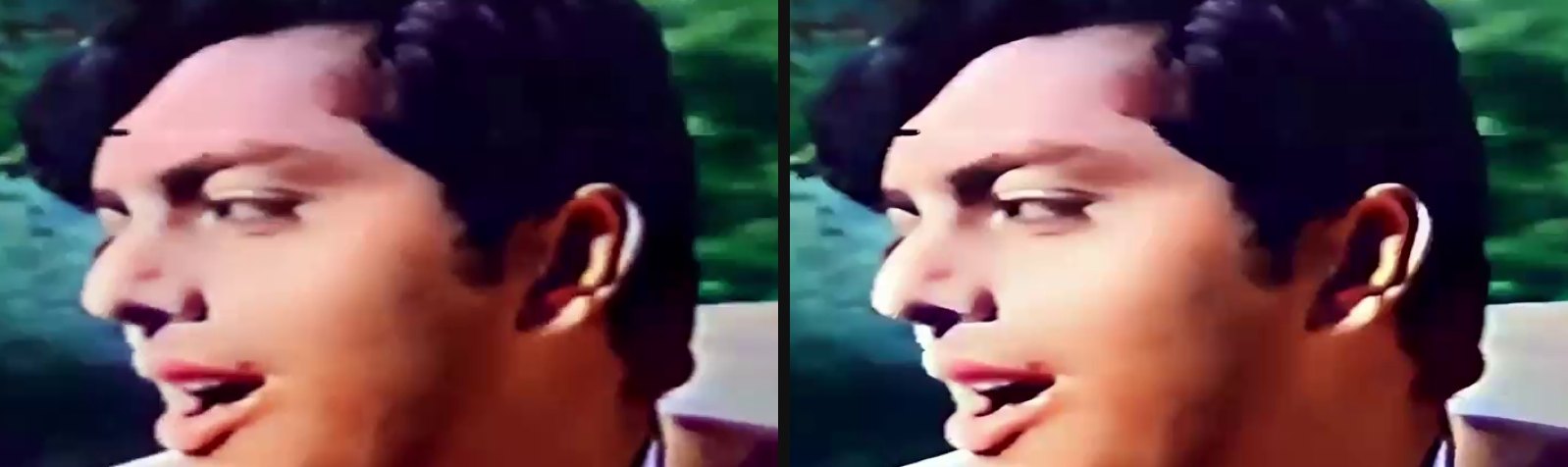
The enhancer can make a film shimmer, so I measured that too: the frame-to-frame change in lightness on still pixels, over 100 frames of the film. Coloured without clean-up, 0.70; Full clean-up without steady detail, 0.89; with it, 0.81.
Light clean-up takes out grain and sharpens gently, without halos, and it's fast on any CPU. Auto picks Full when the enhancer runs on an NPU or a graphics card, and Light on the CPU; you can also switch the clean-up off.
On my laptop, a 1280 × 720 film at 25 frames a second colours at about 1.5 frames a second with Full clean-up, or 2.2 with Light. The whole 2:56 song, 4,400 frames, took 59 minutes with Full clean-up, while I was running other tests on the same laptop.
The NPU first.
Then whatever you have.
Both models run through Windows ML: on the NPU first, then the best graphics card, then the CPU. Before MakeItColor uses a chip, it runs a known test picture on it and compares the colours with the float32 CPU result. A chip that gives wrong colours is skipped. In Auto, the colour model prefers the NPU and the enhancer the graphics card, so in a video both chips work at once.
The first time, the Intel NPU needs about 4–5 minutes to compile the colour model, and about 15 s for the enhancer. You don't have to wait for it: in Auto the app starts on the graphics card and switches to the NPU when it's ready. Later loads take a few seconds.
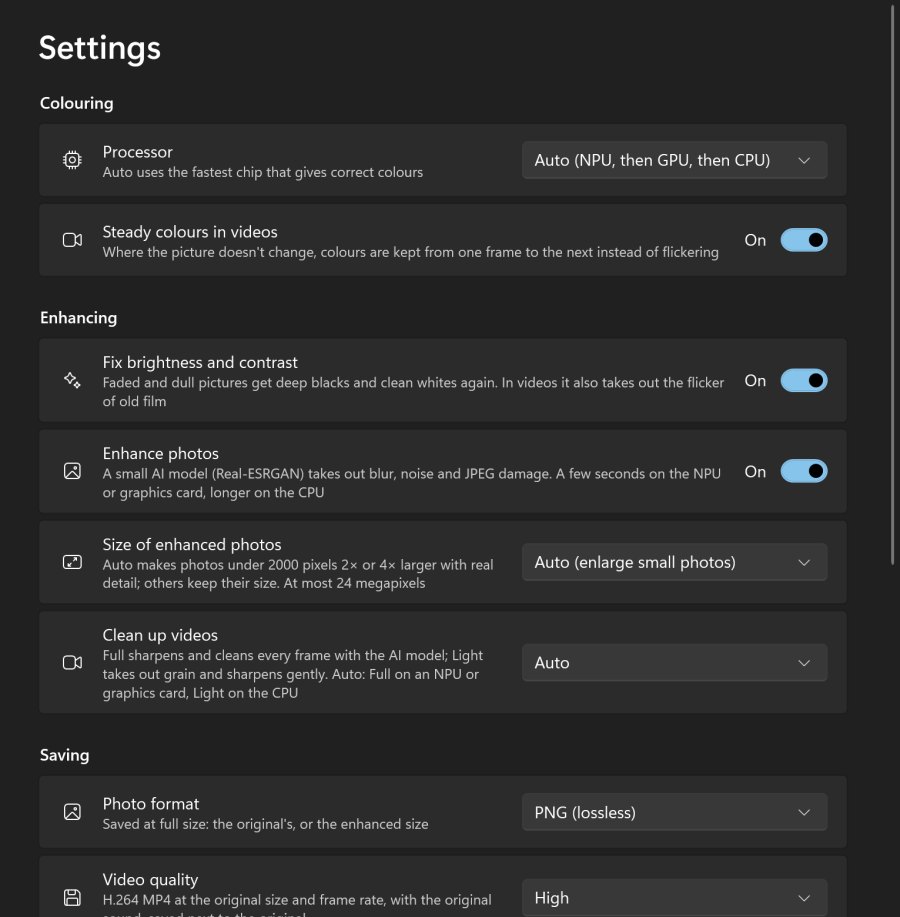
| Setting | What it does |
|---|---|
| Processor | Auto uses the fastest chip that gives correct colours: the NPU, then the graphics card, then the CPU. You can pick one yourself. |
| Steady colours in videos | On by default. Where the picture doesn’t change, colours are kept from one frame to the next instead of flickering. A cut starts fresh. |
| Fix brightness and contrast | On by default. Faded and dull pictures get deep blacks and clean whites again. In videos it also takes out the flicker of old film. |
| Enhance photos | On by default, with an Enhance switch for each photo. Takes out blur, noise and JPEG damage. |
| Size of enhanced photos | Auto makes photos under 2000 pixels 2× or 4× larger; or keep the original size, or choose 2× or 4×. At most 24 megapixels. |
| Clean up videos | Auto, Full, Light or Off. Auto is Full when the enhancer runs on an NPU or graphics card, Light on the CPU. |
| Photo format | PNG (lossless) or JPEG (quality 95), at full size, as a new file. |
| Chip | Device | Runs as | Time |
|---|---|---|---|
| NPU | Intel AI Boost | OpenVINO, float16 | 0.41–0.42 s |
| GPU | Intel Graphics | OpenVINO, float16 | 0.51–0.54 s |
| GPU | Intel Graphics | DirectML, float16 | 0.77 s |
| CPU | Intel Core Ultra 5 135U | float32 | 1.8–2.4 s |
| Chip | Device | Time |
|---|---|---|
| GPU | Intel Graphics | 66–75 ms |
| NPU | Intel AI Boost | 131 ms (while the NPU was also colouring) |
| CPU | Intel Core Ultra 5 135U | 1.0 s |
Put together: a 1500 × 1000 photo, enhanced to 3000 × 2000 and coloured, takes about 3 s with the enhancer on the graphics card (35 tiles), and about 50 s on the CPU alone.
The colour model isn't in the installer. It downloads the first time it's needed: 456.4 MB in float16 for an NPU or graphics card, or 912.1 MB in float32 for the CPU, each checked against its SHA-256. The enhancer (2.4 MB and 4.9 MB) comes with the app. Your photos and films are never uploaded anywhere.
Under the hood: C# and WPF, Windows ML and ONNX Runtime for both models, and FFmpeg to read and write videos. Windows ML fetches the execution providers Windows has certified for the PC; on my laptop that's Intel's OpenVINO, which is what makes the NPU usable.
Measured,
not eyeballed.
Colours are easy to fool yourself with: almost anything looks plausible. So I checked the app against numbers.
Its colour maths matches a Python reference: 88–100 dB on the CPU (the largest difference is 1/255), 51–57 dB on the NPU and 54–58 dB on the graphics card, which run in float16.
I also changed three things in ModelScope's DDColor pipeline: an antialiased shrink to 512, bilinear colour enlargement instead of nearest neighbour, and the guided filter. On the 24 Kodak images, made gray, coloured and compared with their real colours, PSNR went from 21.23 to 21.92 dB, and the colour difference (ΔE) from 18.71 to 17.61.
Testing also found three bugs on the way:
- DirectML gave wrong colours. The test picture came out with a difference of 15, because of one ONNX Runtime graph fusion (MatMul and Add into Gemm). That fusion is now turned off for DirectML.
- float16 overflowed on graphics cards. Inside ConvNeXt's LayerNorm, values reached about 2 × 10⁷, far past float16's limit of 65,504. Exporting it as one LayerNormalization operator fixed it.
- A mixed file broke the NPU. A model file with both float16 and float32 parts didn't work on the NPU, so the file I ship is pure float16.
Every figure, and how I measured it, is in docs/QUALITY.md in the repository.
Plausible colours.
Not a record.
MakeItColor can't know what colour anything really was. Here is what I know it gets wrong.
- The colours are the model's best guess. Skies, skin and grass usually come out right. Clothes, cars and painted walls are a guess.
- Dark shots can get a cast. A dark shot of the heroine in Doraha came out with a purple cast.
- Moving things can change colour. As the car in Doraha drives toward the camera (0:13 to 0:17), the model's guess for its paint drifts from silver-pink to maroon within one shot. Steady colours keeps colours only where the picture doesn't change, so things that move can shift.
- At 4×, fine textures can look painted. The enhancer draws plausible detail too, and rocks and leaves can come out slightly painted.
- The CPU alone is slow. Without an NPU or a graphics card, an enhanced photo takes about 50 seconds instead of about 3, and Auto uses the Light clean-up for videos.
Tested on my Windows 11 laptop with an Intel Core Ultra 5 135U: the NPU, the Intel graphics and the CPU all ran both models. Not tested yet: ARM64 hardware (Snapdragon X), AMD and Qualcomm NPUs, NVIDIA and AMD graphics cards, and Windows 10 itself. The app is built for Windows 10 version 1903 and later, but I've only run it on Windows 11.
See it work.
In 75 seconds.
The launch video opens on Doraha in black and white and sweeps it into colour, then shows the app, the restoring, a film, the chips and the colour strength. English captions are on by default; turn them off from the video's controls.
Free.
For Windows 10 and 11.
MakeItColor is free. The box below suggests the right installer for the PC you're on. There's also a download page you can share.
| Windows | Best for | Size | Installer |
|---|---|---|---|
| Windows 10 & 11 · 64-bit | Intel or AMD processor. Most PCs. Self-contained. The colour model downloads on first use. | 111.6 MB | Download |
| Windows 11 & 10 on ARM | Snapdragon laptops and other ARM PCs. Not yet tested on ARM hardware. Self-contained. The colour model downloads on first use. | 93.1 MB | Download |
SHA-256 checksums
- MakeItColor-Setup-1.0.0-x64.exe
3a0d2efe03bda5308c47eb61757eb25fbfef43eeb5b92ae20ced75de4992a58d - MakeItColor-Setup-1.0.0-arm64.exe
4e50f36eea792a901de4cb372d9c4d76456f30c9337f5a67e8e0d82a3171247a
It needs 64-bit Windows 10, version 1903 or later, or Windows 11, on an x64 or ARM64 PC, and about 1 GB of free space for the colour model. There is no 32-bit or Windows 7/8.1 build, because Windows ML doesn't exist there. HEIC photos need Microsoft's HEIF Image Extensions.
Installing
The installers are on the GitHub release page, with a checksums file. Setup asks whether to install for all users (needs administrator permission) or only for you (no administrator rights needed). The installers aren't code-signed yet, so Windows SmartScreen may show “Windows protected your PC”. Choose More info, then Run anyway, after comparing the SHA-256 checksum if you like.
MakeItColor keeps itself up to date. About 10 seconds after it starts, and at most once a day, it reads a small file on this site (https://www.nomanshafiq.com/updates/makeitcolor.json) and offers a newer version if there is one. Update now downloads the installer, checks its size and SHA-256, installs it and restarts. Turn the check off in Settings › Updates. Uninstalling deletes the downloaded models and the NPU's compile cache in %LOCALAPPDATA%\MakeItColor; your settings stay in %APPDATA%\MakeItColor.
Built on
other people's good work.
MakeItColor stands on two research models, Windows ML and FFmpeg.
| Part | From |
|---|---|
| Colour model | DDColor (ConvNeXt-L; Kang et al., ICCV 2023), Apache 2.0, converted to ONNX and published as the MakeItColor model on Hugging Face |
| Enhancer | Real-ESRGAN compact general model (Xintao Wang et al.), BSD 3-Clause; its network definition from BasicSR, Apache 2.0 |
| Runtime | Windows ML and ONNX Runtime, MIT |
| Video | FFmpeg, LGPL 2.1 (an unmodified BtbN build) |
MakeItColor is not affiliated with the DDColor or Real-ESRGAN authors. The pictures on this page use stills of Doraha (1967) and the title card of Duck and Cover (1951, U.S. Federal Civil Defense Administration, public domain); the launch video uses short excerpts of Doraha's song, “Tumhain Kaisay Bata Dun”, sung by Ahmad Rushdi, as its soundtrack.
The most useful thing you can send me is a photo or a film it got wrong, with what it should have looked like. That's how the next version gets better than this one.
The app images on this page are real screenshots: MakeItColor drew its own window with its interface code, off-screen, in its capture mode. The before-and-after pictures are real output of MakeItColor. The cover's labels and name were added for this note.